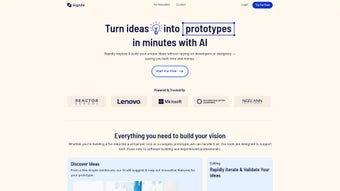

Download Gignite – AI‑Powered Rapid Prototyping Tool for Ideas
Overview
Gignite is a cloud‑native, AI‑driven prototyping platform that transforms a plain‑language description of a product idea into a full‑screen visual mock‑up in seconds. The service is built for entrepreneurs, product managers, UX designers, and anyone who needs to convey a concept without learning Sketch, Figma, or writing code. By typing a concise brief—such as “a mobile health app that tracks daily water intake and sends reminder notifications”—the AI analyses the text, selects appropriate UI components, and assembles a logical user flow that includes onboarding, dashboard, settings, and notification screens.
The result is a set of high‑fidelity images that can be shared instantly or exported for developer handoff. Gignite’s core promise is speed: what traditionally takes days of manual wireframing can now be achieved in a few clicks, freeing teams to focus on validation rather than visual design. While a free tier provides a taste of the technology with limited screen generations per month, premium subscriptions unlock unlimited screens, higher resolution assets, and advanced collaboration tools.
Security is baked in; all data travels over HTTPS and rests in encrypted storage, giving peace of mind to startups handling confidential ideas. In short, Gignite positions itself as a secure, fast, and user‑friendly solution that accelerates the early stages of product development, reduces reliance on external design resources, and helps stakeholders align around a shared visual language.
Key Features, Installation & Compatibility
- Three‑Step AI Generation: Input idea → AI creates screens → Export or share instantly.
- Unlimited Screen Creation: No caps on the number of mockups, supporting large‑scale projects.
- No Coding Required: Ideal for non‑technical users; visual output is ready‑to‑use.
- Cross‑Platform Export: Download PNG, JPG, or SVG files for web, mobile, or presentation use.
- Collaborative Sharing: Generate shareable links that let stakeholders view and comment in real time.
- Version History & Updates: Keep track of iterations and revert to previous designs with a single click.
- Responsive Design Preview: See how screens adapt to different device sizes directly within the browser.
- Secure Cloud Storage: All prototypes are saved in encrypted cloud accounts, respecting privacy standards.
Getting started with Gignite requires no download or installation. Simply visit gignite.com using a modern browser such as Chrome, Firefox, Edge, or Safari. The platform detects your operating system automatically and delivers an optimized interface for Windows 10/11, macOS Ventura or later, popular Linux distributions, and even Chrome OS. Mobile browsers on iOS and Android are also supported, though the full feature set shines on a desktop environment.
Step‑by‑Step Usage Guide:
- Create an Account: Register with an email address or use SSO via Google or Microsoft. The free tier grants up to 10 AI‑generated screens each month.
- Enter Your Idea: Type a concise description in the “Idea Input” field. Optional keywords like “dark mode,” “carousel,” or “authentication flow” help steer the AI toward specific UI patterns.
- Generate Screens: Click “Ignite.” Within seconds the AI assembles a series of screens that represent the end‑to‑end user journey.
- Review & Refine: Use the built‑in editor to tweak text, swap icons, or rearrange components. Smart suggestions surface based on current design best practices.
- Export or Share: Choose “Export” for high‑resolution PNG or SVG files, or click “Share” to create a secure link for teammates, investors, or clients.
Because Gignite runs entirely in the cloud, it works on any device that supports a recent web browser. This includes Windows, macOS, Linux, iOS, and Android platforms. The service automatically scales resources based on your device, ensuring a smooth experience whether you are on a high‑end workstation or a modest netbook.
Security considerations are front‑and‑center. All traffic is encrypted with HTTPS, and stored prototypes are protected with AES‑256 encryption. Enterprise customers can opt for private‑cloud hosting, SSO, and detailed audit logs to meet strict compliance requirements.
Pros, Cons & Frequently Asked Questions
Pros
- Instant AI‑driven screen generation eliminates manual wireframing.
- Unlimited prototype creation supports expansive product roadmaps.
- No coding or design software needed; accessible to non‑technical users.
- Cross‑platform export formats simplify sharing with developers and investors.
- Secure cloud storage and HTTPS encryption protect proprietary ideas.
- Responsive interface works on Windows, macOS, Linux, and tablets.
Cons
- Free tier limits the number of AI‑generated screens per month.
- Advanced customization (e.g., custom component libraries) requires a paid plan.
- Reliance on internet connectivity; offline work is not supported.
- Data handling subject to Gignite’s terms of service, which some users may find restrictive.
FAQ
Is Gignite really free to use?
Gignite offers a free tier that includes up to 10 AI‑generated screens each month. For unlimited screens, higher‑resolution exports, and team collaboration tools, you’ll need to upgrade to a paid subscription.
Can I export prototypes for handoff to developers?
Yes. Prototypes can be downloaded as PNG, JPG, or SVG files. Premium users also receive style guides and asset packages that streamline developer handoff.
How secure is my data on Gignite?
All data is transmitted over HTTPS and stored with AES‑256 encryption. Enterprise plans add SSO, audit logs, and optional private‑cloud hosting for extra compliance.
Do I need any design experience to use Gignite?
No. Gignite’s AI handles layout, typography, and iconography automatically. Users can fine‑tune results with simple drag‑and‑drop controls, making it suitable for beginners and seasoned designers alike.
What browsers are supported?
The platform works with the latest versions of Chrome, Firefox, Edge, and Safari. Mobile browsers on iOS and Android also support the core functionality, though the full feature set is optimized for desktop environments.
Overall Rating: ★★★★☆ (4.3/5)
Gignite excels at turning vague concepts into polished visual prototypes at lightning speed. Its AI is surprisingly intuitive, and the unlimited screen generation opens doors for ambitious product roadmaps. While the free tier feels restrictive for power users, the paid plans are competitively priced for the value delivered. The main drawback is the dependence on an internet connection, but for a cloud‑first tool that’s expected. In summary, Gignite is a game‑changing asset for startups and product teams looking to accelerate ideation without hiring designers or developers early in the process.
Conclusion & Call to Action
If you need a fast, secure, and code‑free way to bring ideas to life, Gignite delivers exactly that. By leveraging AI to generate unlimited, high‑quality screens in minutes, it slashes the time required for early‑stage prototyping and helps teams iterate faster. Whether you’re a solo founder sketching an MVP, a product manager aligning stakeholders, or a design lead exploring multiple user flows, Gignite’s collaborative sharing and version‑control features keep everyone on the same page.
Ready to experience AI‑powered prototyping? Sign up for a free account today and start turning textual concepts into visual reality in three simple steps. For organizations that demand advanced security, team permissions, and private‑cloud hosting, consider the premium subscription to unlock the full suite of capabilities.
Download Gignite now and give your product development process the speed and clarity it deserves.



.png)



